
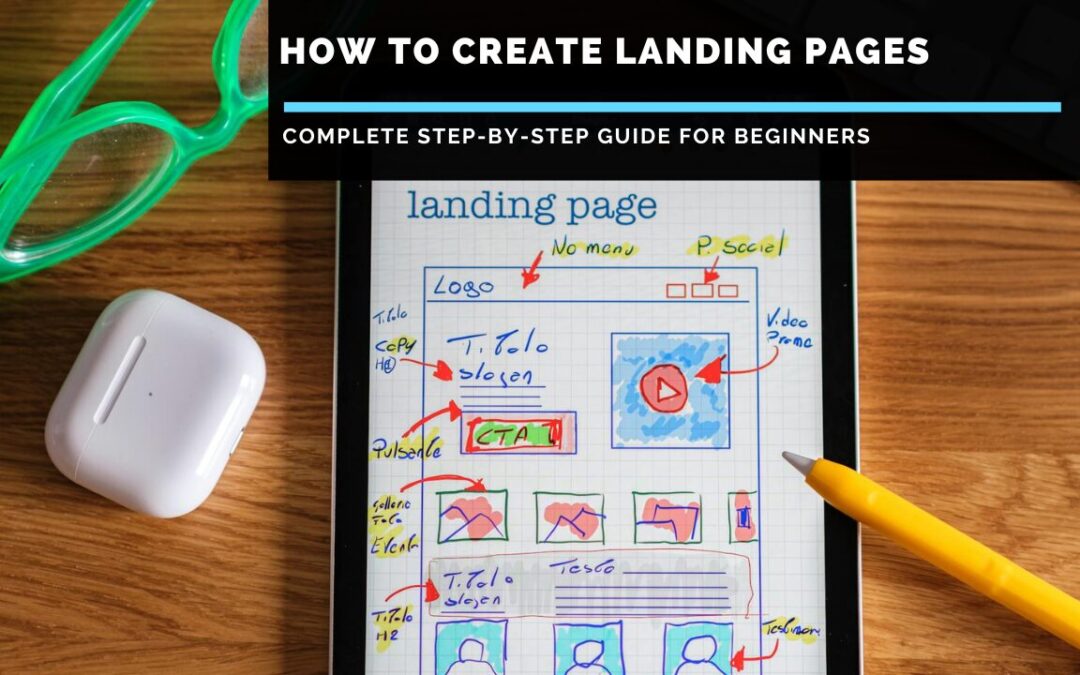
Our Complete Step-by-Step Guide for Beginners
If you’re trying to figure out how to create landing pages that actually convert visitors into customers, subscribers or leads, you’ve probably noticed something frustrating: most tutorials either oversimplify the process (making it seem like you just slap some text and a button on a page) or overcomplicate it with technical jargon that leaves you more confused than when you started. The reality is that creating effective landing pages sits somewhere between art and science. It’s not as simple as choosing a template and hoping for the best, but it’s also not so complex that you need a computer science degree to get started.
Landing pages are fundamentally different from regular website pages. Whilst your homepage might have a dozen different links, multiple navigation options and various calls to action, a landing page has one singular focus: getting visitors to take one specific action. Whether that’s signing up for your email list, purchasing a product, booking a consultation or downloading a resource, everything on a landing page should drive toward that single goal. This focused approach is why landing pages convert at much higher rates than standard web pages, often converting 5-15% of visitors compared to 1-3% for typical website pages.
This guide walks you through the entire process of creating high-converting landing pages from start to finish. You’ll learn what makes landing pages effective, which elements are essential, how to write copy that persuades, which tools make the process easiest and how to test and optimise for better results. Whether you’re promoting a product, building an email list or generating leads for your business, you’ll have everything you need to create landing pages that deliver real results.

Understanding Landing Pages: What They Are and Why They Matter
Before diving into the how, let’s ensure we’re clear on the what and why.
What Exactly Is a Landing Page?
A landing page is a standalone web page created specifically for a marketing or advertising campaign. It’s where a visitor “lands” after clicking on an email link, social media ad, Google ad, or similar marketing promotion. Unlike web pages, which typically have many goals and encourage exploration, landing pages are designed with a single focus or goal, known as a call to action (CTA).
Key characteristics of landing pages:
- Single objective: Every element serves one purpose – getting visitors to complete your desired action
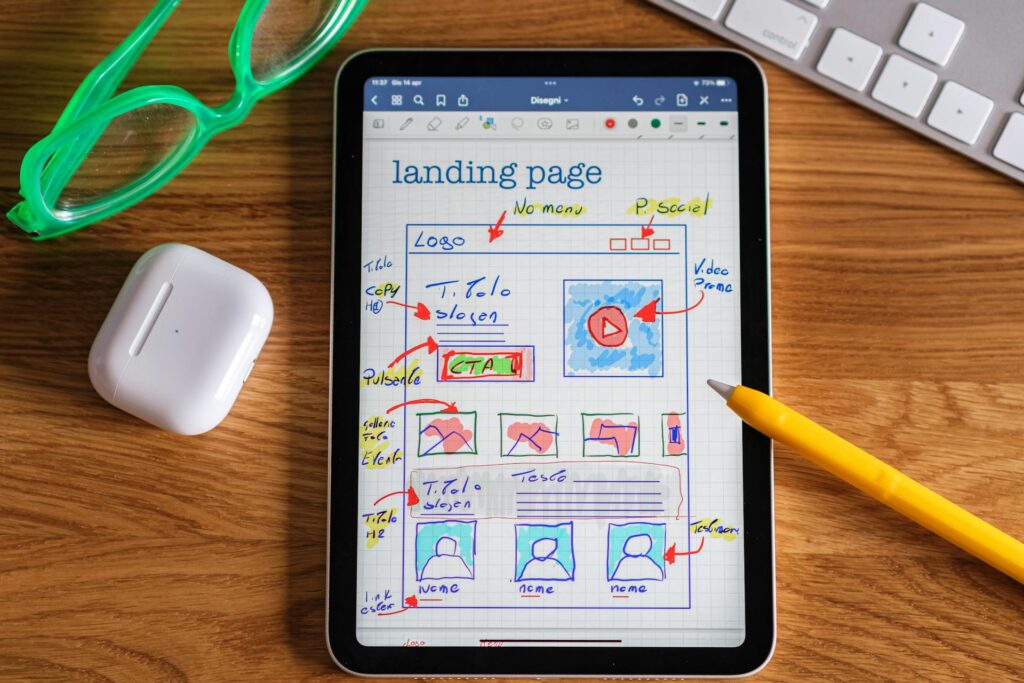
- Minimal navigation: Usually no header menu or footer links that might distract visitors
- Focused content: Only information directly relevant to your offer and audience
- Clear call to action: Prominent, compelling buttons or forms making the next step obvious
- Persuasive copy: Text specifically written to convince visitors to take action
- Strategic design: Visual hierarchy guiding attention to the most important elements
Why Landing Pages Convert Better Than Regular Pages
The conversion difference between landing pages and standard web pages is substantial, and the reasons are psychological:
Reduced decision fatigue: When visitors face fewer options, they’re more likely to choose the one option presented rather than becoming overwhelmed and leaving.
Message match: Landing pages can be perfectly aligned with whatever ad or link brought visitors there, creating a seamless experience that builds trust.
Focused persuasion: Every word, image and design element works together toward one goal rather than competing for attention.
Clear value proposition: Landing pages clearly communicate what visitors get and why they should care without distractions.
Lower bounce rates: With nowhere else to go, visitors either convert or leave, but they’re more likely to engage with your content first.
When You Need Landing Pages
Landing pages make sense for:
- Running paid advertising campaigns (Google Ads, Facebook Ads, etc.)
- Promoting specific products or services
- Building email lists through lead magnets
- Webinar registrations
- Contest or giveaway entries
- Event registrations
- Free trial signups
- Consultation bookings
- Product launches
- Special promotions or limited-time offers
If you’re driving traffic from external sources and want to maximise conversions, you need a dedicated landing page rather than sending people to your homepage.
Essential Elements of High-Converting Landing Pages
Before building your landing page, understand the critical components that influence conversion rates.
1. Compelling Headline
Your headline is the first thing visitors see and determines whether they’ll stay or leave within seconds. Effective headlines:
- Clearly communicate your offer’s main benefit
- Speak directly to your target audience
- Create curiosity or intrigue
- Are concise (typically 10-20 words)
- Include the primary keyword when relevant
- Make a promise your page delivers on
Example weak headline: “Welcome to Our Service”
Example strong headline: “Double Your Email List in 30 Days Without Spending a Penny on Ads”
2. Subheadline or Supporting Copy
Immediately below your headline, elaborate slightly on your promise or add additional benefits. This gives visitors who weren’t immediately convinced a bit more information.
Example: “Join 15,000+ entrepreneurs using our proven system to grow their email lists organically through simple daily actions”
3. Hero Image or Video
Visual elements should support your message and help visitors visualise the benefit or outcome. Options include:
- Product images showing what visitors get
- Photos of happy customers using your product
- Screenshots of your software or platform
- Explainer videos walking through the benefits
- Infographics visualising key data or processes
Videos can increase conversions by 80% or more when used effectively. Keep them short (60-90 seconds) and focus on benefits rather than features.
4. Benefits-Focused Copy
Your body copy should emphasise what visitors gain rather than just what your product is. People care about outcomes, not features.
Features tell, benefits sell:
Feature: “Our software includes automated email sequences”
Benefit: “Save 10 hours weekly by automating your follow-up emails”
Structure your benefits copy with:
- Clear sections broken by subheadings
- Short paragraphs (2-3 sentences maximum)
- Bullet points for easy scanning
- Bold text highlighting key benefits
- White space prevents overwhelming density
5. Social Proof
Trust is the biggest barrier to conversion. Social proof overcomes scepticism by showing that others have successfully used your offer. Include:
- Customer testimonials: Specific quotes about results achieved
- Case studies: Detailed success stories with numbers
- Reviews and ratings: Star ratings or review counts
- Client logos: Recognisable companies you’ve worked with
- Media mentions: “As featured in…” badges
- User numbers: “Join 50,000+ satisfied customers”
- Trust badges: Security certifications, guarantees, awards
The most effective testimonials are specific (“I increased my revenue by 43% in 6 months”) rather than generic (“Great product!”).
6. Clear Call to Action
Your CTA button or form is the most important element on your page. Make it impossible to miss:
- Button copy: Use action-oriented first-person language (“Get My Free Guide” beats “Download Now”)
- Colour: Choose contrasting colours that stand out from your page background
- Size: Make buttons large enough to be obviously clickable
- Placement: Include CTA early on page (above the fold) and repeat it further down
- White space: Surround CTAs with space so they’re not competing with other elements
- No friction: Minimise form fields to only essential information
7. Urgency and Scarcity
When appropriate, creating urgency or scarcity encourages immediate action rather than “I’ll think about it and come back later” (they rarely do):
- Time-limited offers: “Offer expires in 48 hours”
- Limited quantity: “Only 7 spots remaining”
- Countdown timers: Visual representation of the deadline
- Seasonal relevance: “Get ready for summer sales”
Only use these tactics when legitimate. False scarcity damages trust and reputation.
8. Risk Reversal
Reduce perceived risk by offering guarantees:
- Money-back guarantees
- Free trials
- No credit card required
- Cancel anytime
- Free shipping
- No questions asked returns
These significantly increase conversion rates by removing the fear of making a bad decision.
Step-by-Step Process: How to Create Landing Pages
Now let’s walk through the actual process of building your landing page from conception to launch.
Step 1: Define Your Goal and Audience
Before touching any tools, get crystal clear on:
What action do you want visitors to take? Be specific. “Sign up for email list”, or “Purchase $47 course,” or “Book 30-minute consultation.”
Who is your target audience? Define their demographics, pain points, desires and objections. The better you understand your audience, the more effectively you can persuade them.
What’s your value proposition? Why should your audience care about your offer? What problem does it solve or desire does it fulfil?
Write these down. They’ll guide every decision you make.
Step 2: Choose Your Landing Page Tool
You have several options for building landing pages, ranging from simple to complex:
Dedicated landing page builders: Platforms specifically designed for creating landing pages with no technical knowledge required. Examples include Unbounce, Leadpages, Instapage and ClickFunnels.
Website builders with landing page features: Platforms like WordPress (with plugins), Wix, Squarespace and Webflow can create landing pages, though they’re not specialised for this purpose.
Custom coding: Building from scratch gives ultimate control but requires technical skills.
For most people, dedicated landing page builders offer the best balance of ease, functionality and conversion optimisation. They include templates based on proven designs, built-in A/B testing, analytics and integration with email marketing platforms.
Want to Create Landing Pages That Actually Convert?
If you’re serious about building high-converting landing pages without technical headaches, ClickFunnels offers one of the most powerful yet user-friendly solutions available. It’s specifically designed to guide visitors through your sales process with proven templates and conversion-focused features. Check out my comprehensive ClickFunnels review to see if it’s right for your business.

Step 3: Select or Create Your Template
Most landing page builders offer templates designed for specific goals (lead generation, product sales, webinar registration, etc.). When choosing a template:
- Match it to your goal (don’t use a webinar template for product sales)
- Consider your audience’s expectations and preferences
- Look for clean, modern designs with a clear hierarchy
- Ensure mobile responsiveness (50%+ traffic comes from mobile)
- Check that it includes all essential elements discussed earlier
You can customise any template, so don’t worry if it’s not perfect initially. Start with something close to your needs.
Step 4: Write Your Copy
Many people start with design, but the copy should come first. Your words persuade; design amplifies that persuasion.
Headline: Write 10-20 different headline options focusing on your biggest benefit. Choose the strongest.
Subheadline: Add supporting information that elaborates on your promise.
Body copy: Write conversationally as if speaking to one person. Focus on benefits and outcomes. Address objections. Use short paragraphs and bullet points.
Testimonials: Gather specific, results-oriented quotes from satisfied customers. Include names, photos and relevant credentials when possible.
CTA copy: Use first-person action phrases (“Get My Free Guide” rather than “Download Guide”).
Good copywriting resources include Copyblogger, which offers comprehensive copywriting tutorials for beginners.
Step 5: Design Your Page
With your copy written, now arrange and design elements for maximum impact:
Create visual hierarchy: Most important elements (headline, CTA) should be the largest and most prominent.
Use contrasting colours: Your CTA button should stand out from the background. Use colour psychology (red/orange for urgency, blue for trust, green for growth/money).
Add white space: Don’t cram everything together. Space helps important elements breathe and guides attention.
Choose appropriate images: Use high-quality photos that support your message. Avoid cheesy stock photos that scream “stock photo.”
Ensure mobile responsiveness: Preview your page on phone and tablet. More than half of your traffic will likely come from mobile devices.
Limit fonts: Use 2-3 fonts maximum. Too many fonts look unprofessional.
Create visual flow: Design should naturally guide eyes from the headline down to the CTA.
For design inspiration and principles, Nielsen Norman Group offers excellent usability and design guidance based on research.
Step 6: Add Trust Elements
Layer in social proof throughout your page:
- Place the strongest testimonial near your CTA
- Add client logos if you have recognisable brands
- Include relevant statistics or achievements
- Add security badges near forms or purchase buttons
- Link to case studies or success stories
- Display review ratings prominently
Step 7: Optimise Your Form
If your landing page includes a form (for email signup, contact information, etc.), optimise it carefully:
Ask for minimum information: Each additional field reduces conversions by 5-10%. Only ask for what you absolutely need initially.
Use smart defaults: Pre-fill country based on IP address or offer dropdown menus rather than open text fields.
Explain why you’re asking: Brief text explaining what you’ll do with their information increases completion rates.
Make it obvious: Forms should be impossible to miss. Use contrasting colours and clear labels.
Include privacy assurance: “We never share your email” text reduces anxiety.
Step 8: Set Up Tracking and Analytics
Before launching, ensure you can measure results:
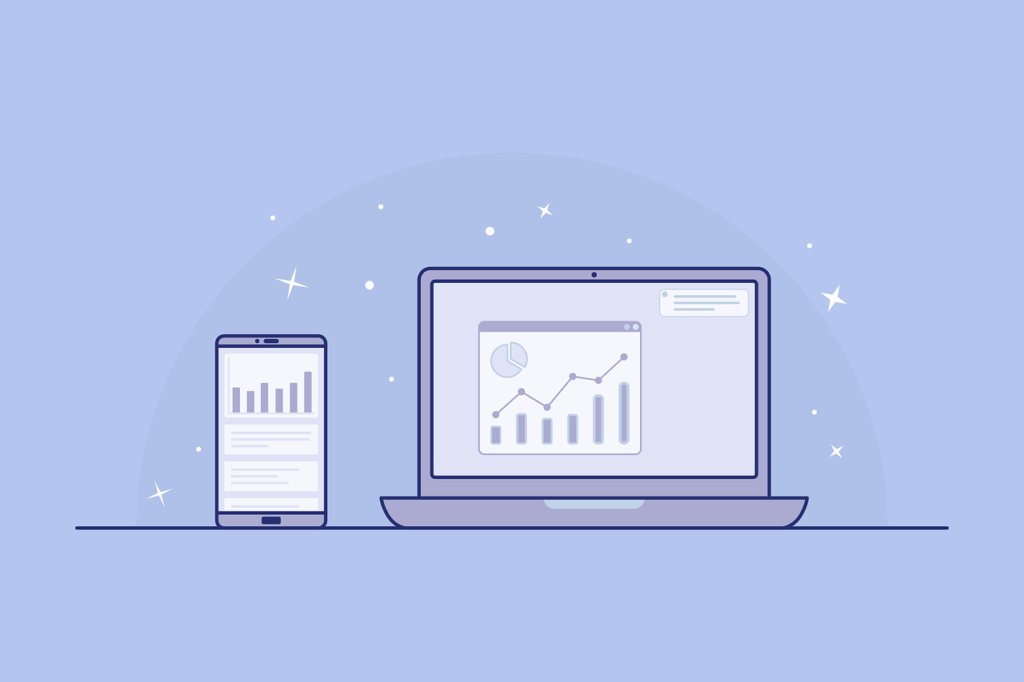
- Install Google Analytics to track visitors and behaviour
- Set up conversion tracking (goal completions in Google Analytics)
- Add Facebook Pixel if running Facebook ads
- Configure your landing page builder’s built-in analytics
- Set up email marketing platform integration
- Create UTM parameters for tracking different traffic sources
You can’t optimise what you don’t measure.
Step 9: Test Before Launching
Don’t skip this step. Test everything:
- Click every button and link (do they work?)
- Submit your form (does it properly capture information?)
- View page on desktop, tablet and mobile (does it look right on all devices?)
- Test page load speed (slow pages kill conversions)
- Check spelling and grammar (errors destroy credibility)
- Review with fresh eyes or ask a colleague for feedback
- Ensure tracking codes are firing properly
Step 10: Drive Traffic
Your landing page doesn’t work if no one sees it. Common traffic sources:
- Paid advertising (Google Ads, Facebook Ads, Instagram Ads)
- Email campaigns to the existing list
- Social media posts and stories
- Blog posts with links to your landing page
- Guest posts on other websites
- YouTube video descriptions
- Podcast show notes
- Partner referrals
Match your traffic source to your audience. Don’t pay for ads if your ideal customers don’t use that platform.
Advanced Optimisation Strategies
Creating your landing page is just the beginning. Optimisation is where real results happen.
A/B Testing (Split Testing)
A/B testing means creating two versions of your page with one element changed, then sending equal traffic to both and measuring which converts better.
Elements to test (one at a time):
- Headlines
- CTA button colour and text
- Images or videos
- Form length and fields
- Page length (long vs. short copy)
- Social proof placement
- Pricing (if applicable)
- Urgency elements
Test one element at a time so you know what caused the change. Run tests until you reach statistical significance (usually 100+ conversions per variation).
Most landing page builders include built-in A/B testing tools.
Heatmap Analysis
Heatmap tools like Hotjar or Crazy Egg show where visitors click, how far they scroll and where attention focuses. This reveals:
- Are visitors seeing your CTA? (If most don’t scroll to it, move it higher.)
- Are they clicking on non-clickable elements? (Make those elements clickable or remove confusion)
- Where do they lose interest? (The point where most people stop scrolling needs improvement.)
- Are they distracted by certain elements? (Remove distractions)
Conversion Rate Optimisation (CRO)
CRO is the systematic process of increasing the percentage of visitors who convert. Key principles:
Reduce friction: Remove any obstacles to conversion (unnecessary form fields, confusing navigation, slow load times)
Increase motivation: Strengthen your value proposition, add urgency, improve social proof
Match message to audience: Ensure your page matches the ad or link that brought visitors there
Mobile-first thinking: With 50%+ mobile traffic, optimise mobile experience first
Loading speed: Pages loading in 1 second convert 3x better than pages loading in 5 seconds
For detailed CRO strategies, ConversionXL offers in-depth guides on improving conversion rates.

Retargeting
Most visitors won’t convert on their first visit. Retargeting (showing ads to people who visited your landing page but didn’t convert) brings them back:
- Set up retargeting pixels on your page
- Create ads specifically for people who visited but didn’t convert
- Address objections in your retargeting ads
- Offer incentives to return (discount, bonus, etc.)
- Test different timeframes (retarget same day vs. 3 days later)
Retargeting campaigns often convert 2-3x better than cold traffic campaigns because you’re reaching people already familiar with your offer.
Common Landing Page Mistakes to Avoid
Learn from others’ errors:
1. Too Many Calls to Action
When you ask visitors to do multiple things, they often do nothing. One landing page = one goal. If you want people to both join your email list AND follow you on social media, create separate pages for each.
2. Unclear Value Proposition
Visitors should understand what you’re offering and why they should care within 5 seconds. If your headline is vague or your offer isn’t immediately clear, you’ll lose people.
3. Generic or Weak Headlines
“Welcome” or “About Our Product” headlines waste your most valuable real estate. Lead with your strongest benefit.
4. Poor Mobile Experience
If your page isn’t optimised for mobile, you’re losing half your potential conversions. Test rigorously on actual mobile devices, not just desktop browser resize.
5. Slow Loading Speed
Each additional second of load time reduces conversions by 7%. Optimise images, minimise code and use fast hosting. Aim for under 3 seconds of load time.
6. Too Much Information
More isn’t always better. Include only information that directly supports your conversion goal. Cut everything else ruthlessly.
7. Weak or Hidden CTA
If visitors can’t immediately find your call to action button, they won’t convert. Make it obvious and repeat it multiple times on longer pages.
8. No Social Proof
People trust other people more than they trust your claims about yourself. Always include testimonials, reviews or other social proof.
9. Asking for Too Much Information
Each form field reduces completion rates. Only ask for information you absolutely need immediately. You can always collect more later.
10. No Trust Indicators
Particularly for pages asking for payment information or personal data, security badges, guarantees and privacy statements significantly impact conversion rates.
11. Inconsistent Messaging
If your ad promises one thing and your landing page delivers something different, visitors feel deceived and leave. Ensure the message matches between the traffic source and the landing page.
12. Ignoring Page Speed
Compress images, minimise code, use content delivery networks and choose fast hosting. Speed matters immensely for both conversions and SEO.
Tools and Resources for Creating Landing Pages
Landing Page Builders
ClickFunnels: Comprehensive platform for building complete sales funnels, including landing pages, checkout pages and follow-up sequences. Offers proven templates and extensive training. Best for: People selling products or services who want complete sales funnel capabilities.
Unbounce: Drag-and-drop builder with strong A/B testing and integration options. Best for: Marketers running paid ad campaigns who need sophisticated testing.
Leadpages: Affordable and user-friendly with good template selection. Best for: Small businesses and solopreneurs wanting simple lead generation pages.
Instapage: Enterprise-level features with pixel-perfect design control and collaboration tools. Best for: Agencies and larger companies with bigger budgets.
WordPress + Elementor: Flexible option if you’re already using WordPress. Best for: People who want landing pages integrated with their existing WordPress site.
Ready to Build Your Online Business?
Creating effective landing pages is just one part of building a successful online business.
Supporting Tools
Canva: Design graphics, hero images and visual elements
Grammarly: Check copy for grammar and clarity
Hemingway Editor: Ensure copy is clear and readable
Google Optimise: Free A/B testing tool
Hotjar: Heatmaps and visitor recordings
OptinMonster: Exit-intent popups and lead generation
Zapier: Connect your landing page to other tools
Real-World Landing Page Examples
Understanding what works helps inform your own pages. Here are characteristics of effective landing pages across different industries:
SaaS Product Landing Pages
Successful software landing pages typically include:
- Clear headline stating primary benefit
- Short explainer video showing the product in action
- Feature list with benefits-focused descriptions
- Pricing table comparing plans
- Free trial CTA with no credit card required
- Customer logos showing recognisable brands
- Specific statistics proving results
Lead Magnet Landing Pages
Pages promoting free resources (ebooks, guides, templates) usually feature:
- Headline focusing on the problem solved
- Image of the resource (ebook cover, screenshot of template)
- Bullet points listing what’s included
- Simple form asking only for email address
- Trust statement (“We never share your email”)
- Preview of content or sample pages
- Testimonials from people who used the resource
Webinar Registration Pages
Effective webinar landing pages contain:
- Headline promising a specific outcome from the webinar
- Date and time clearly displayed
- Brief bullets covering what attendees will learn
- Photo of the presenter with credentials
- Registration form (name and email typically)
- Urgency element in limited spaces
- Social proof from previous webinar attendees
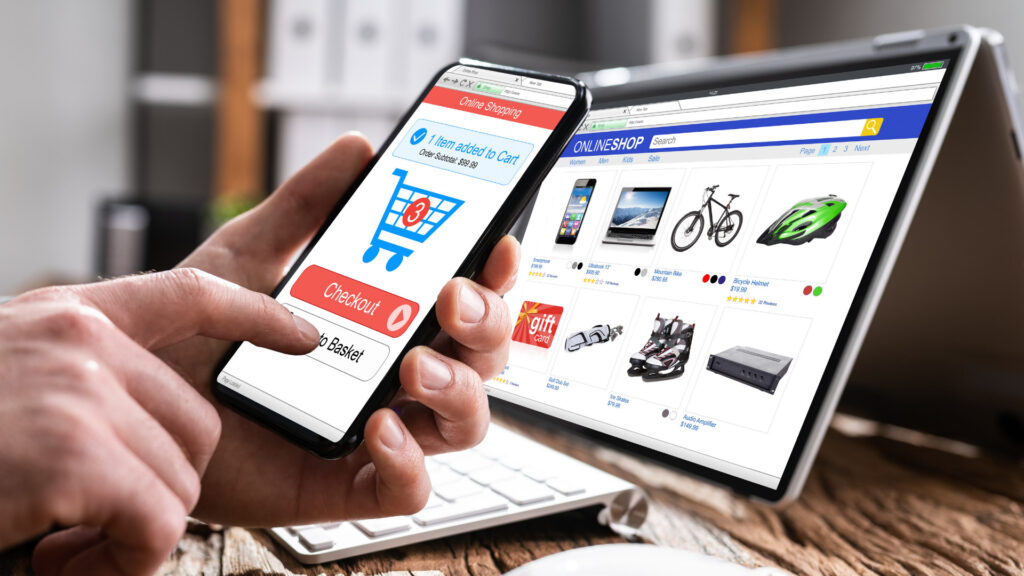
E-commerce Product Pages
High-converting product landing pages include:
- Multiple high-quality product images
- Clear pricing with any discounts highlighted
- Detailed yet scannable product description
- Specific benefits and use cases
- Customer reviews and ratings
- Security badges near checkout
- Guarantee or return policy
- Related products or upsells
Study landing pages in your industry to understand what your audience expects and responds to.
Measuring Landing Page Success
Creating your page is only the beginning. Ongoing measurement and optimisation separate good landing pages from great ones.
Key Metrics to Track
Conversion rate: Percentage of visitors who complete your desired action. This is your most important metric.
Bounce rate: Percentage of visitors who leave without interacting. High bounce rates (over 70%) indicate problems with message match, page speed or relevance.
Average time on page: How long visitors stay. Very short times suggest your content isn’t engaging; very long times might indicate confusion.
Traffic sources: Which channels drive the most conversions (not just the most traffic).
Form analytics: If applicable, track which form fields cause drop-offs.
Click maps: Where visitors click most frequently.
Scroll depth: How far down the page most visitors read.
Setting Benchmarks
Conversion rates vary dramatically by industry, traffic source and offer type:
- Email list signups (free lead magnets): 10-30%
- Webinar registrations: 20-40%
- Free trial signups: 5-15%
- Product purchases: 1-5%
- Consultation bookings: 2-8%
Don’t compare yourself to unrealistic standards. Focus on improving your own baseline rather than hitting arbitrary industry averages.
Continuous Improvement
Landing page optimisation never stops:
- Review metrics weekly
- Run continuous A/B tests
- Survey converters and non-converters to understand why they did or didn’t take action
- Watch visitor recordings to see actual behaviour
- Update testimonials and social proof regularly
- Refresh copy and design every 6-12 months
- Test new elements as you learn more about your audience
The Psychology Behind High-Converting Landing Pages
Understanding why people make decisions helps you create more persuasive pages:
Principle of Reciprocity
When you give something valuable for free (quality content, useful tool, educational resource), people feel obligated to reciprocate by taking your desired action. This is why lead magnets work.
Social Proof
People follow the actions of others, especially when uncertain. Testimonials, user counts and success stories leverage this by showing that others have successfully used your offer.
Scarcity and Urgency
Things become more desirable when they’re scarce or available for a limited time. Limited spots, countdown timers and expiring offers trigger fear of missing out.
Authority
People trust experts. Displaying credentials, media mentions, awards and certifications leverages authority to build credibility.
Consistency
Once people take a small initial action (clicking an ad, landing on your page), they’re more likely to take subsequent actions to remain consistent with their initial choice.
Loss Aversion
People are more motivated to avoid losses than to achieve equivalent gains. Framing your offer as preventing loss (“Don’t miss out on…”) can be more effective than emphasising gain (“Get access to…”).
Use these principles ethically to create genuinely persuasive landing pages that serve your audience’s needs.
Moving Forward with Your Landing Pages
You now have a comprehensive understanding of how to create landing pages that convert. The knowledge matters less than the action you take with it.
Start simple. Don’t aim for perfection on your first landing page. Build something functional, launch it, drive traffic and measure results. You’ll learn more from your first 100 visitors than from reading another dozen articles.
Focus on clarity over cleverness. Your landing page should make it immediately obvious what you’re offering and why visitors should care. Clever copy and fancy design matter far less than clear communication of value.
Test systematically. Once your page is live, continuous testing and optimisation create dramatic improvements over time. Pages that convert at 2% initially can often be improved to 5% or higher through systematic testing.
Remember that landing pages serve your audience. Your goal isn’t to trick people into converting. It’s to clearly communicate value to the right people and make taking action easy for those who want what you’re offering. When you approach landing pages with a genuine desire to serve your audience, conversions follow naturally.
Whether you’re building an email list, selling products, booking consultations or achieving any other business goal, knowing how to create landing pages effectively gives you a powerful tool for growing your business. Take what you’ve learned here, choose your platform, write your copy and launch your first page. The doing is what transforms knowledge into results.