
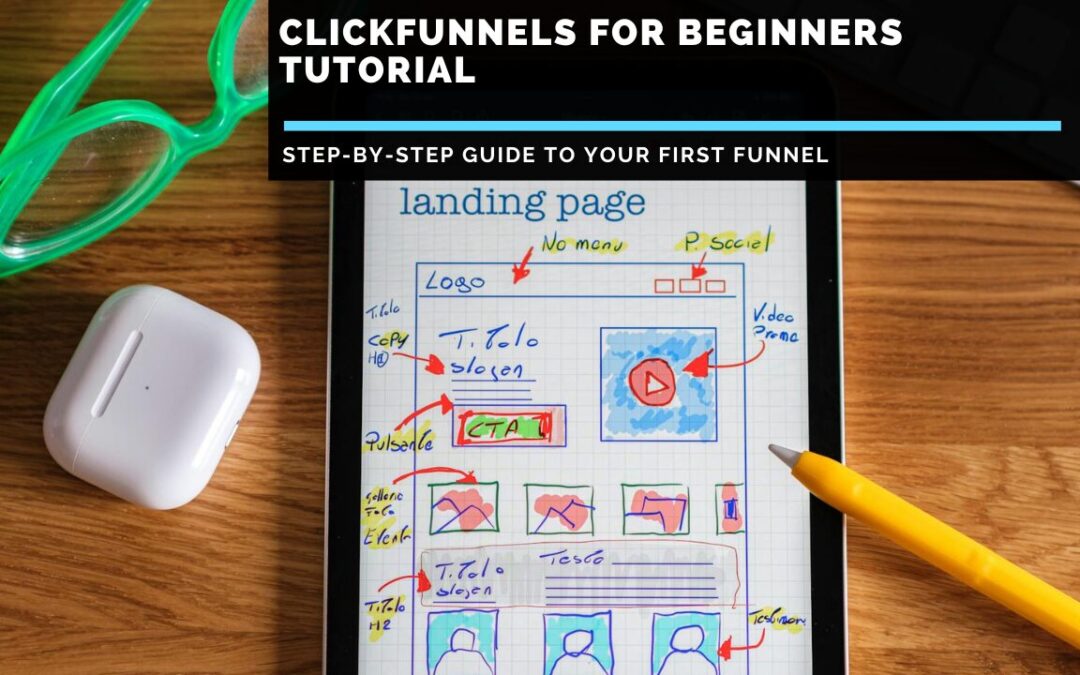
Step-by-Step Guide to Your First Funnel
If you’re looking for a comprehensive ClickFunnels for beginners tutorial that actually explains how to use the platform without assuming you already know marketing jargon or technical concepts, you’ve found it. ClickFunnels markets itself as “easy” and “simple”, but the reality is that when you first log into the platform, you’re confronted with dozens of menu options, templates you don’t understand and terminology that means nothing if you’re completely new to online marketing. You’re told to “build a funnel”, but if you don’t know what a funnel actually is or why you need one, clicking around aimlessly while hoping things make sense eventually is frustrating and time-consuming.
This tutorial is different from the vague “getting started” guides ClickFunnels provides or the superficial YouTube videos that skip crucial steps. I’m going to walk you through everything from absolute zero: what ClickFunnels is, why funnels matter, how to set up your account, how to build your first complete funnel step by step and how to actually get it working so you can start generating leads or sales. This isn’t about showing you every feature ClickFunnels offers (there are hundreds). This is about getting you from “I just signed up and I’m overwhelmed” to “I have a functioning funnel that’s actually doing something” in the most direct path possible.
By the end of this ClickFunnels for beginners tutorial, you’ll have built a complete sales funnel, understand how all the pieces fit together and know exactly what to do next to grow your online business using ClickFunnels effectively.
What Is ClickFunnels and Why Do You Need It?
Before diving into the platform, let’s establish fundamental concepts so you understand what you’re building and why.
Understanding Sales Funnels
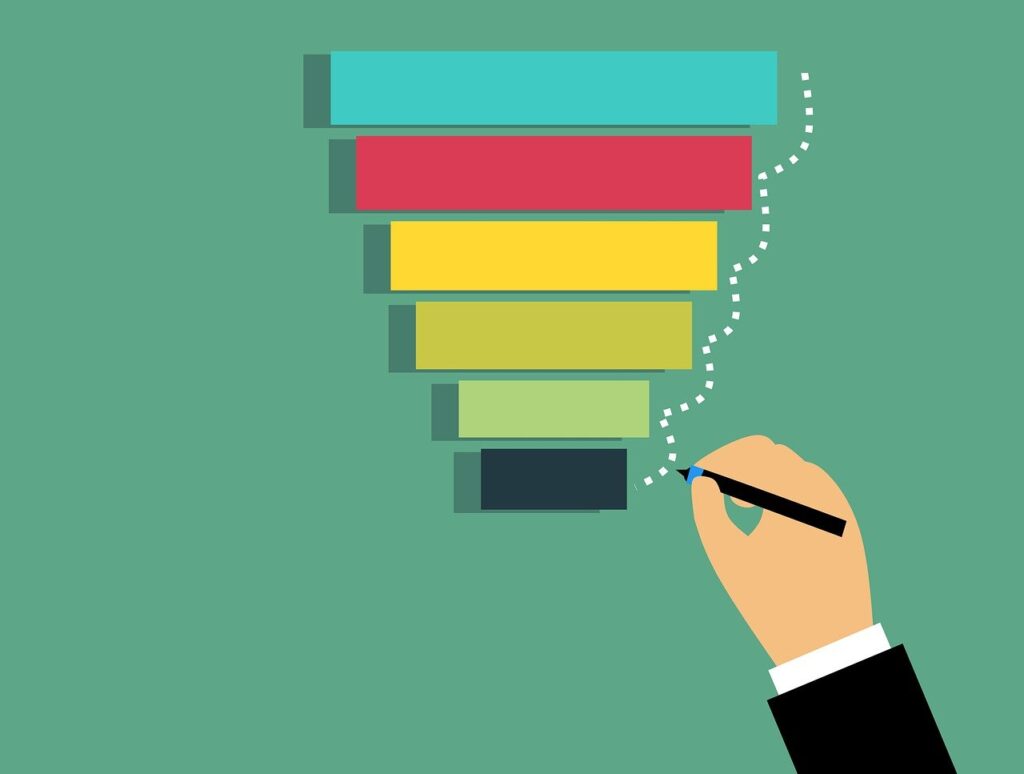
A sales funnel is simply the journey potential customers take from first discovering you to eventually buying from you. It’s called a “funnel” because:
Top of funnel (wide): Many people see your initial offer or content
Middle of funnel (narrowing): Fewer people engage and show interest
Bottom of funnel (narrow): A Small percentage actually purchase
Traditional websites let visitors wander wherever they want, clicking various links and exploring different pages. This freedom sounds nice, but it’s terrible for conversions. People get distracted, overwhelmed or lost.
Sales funnels are different. They guide visitors through a specific path:
- They land on a page with one clear offer
- They take one specific action (sign up, purchase, book a call)
- They’re taken to the next logical step
- The process continues until they complete your desired goal
What ClickFunnels Actually Does
ClickFunnels is software that lets you build these guided paths (funnels) without needing:
- A website designer
- A developer who can code
- Multiple separate tools for different functions
- Technical knowledge about hosting or domains
In one platform, you get:
- Landing page builder for creating pages
- Templates for proven funnel types
- Email marketing for follow-up
- Payment processing for collecting money
- Analytics for tracking performance
- Integration with other tools you might use
Think of ClickFunnels as an all-in-one toolkit specifically designed for creating the pages and sequences that guide people to buy from you.
Why Beginners Choose ClickFunnels
Several reasons make ClickFunnels popular with beginners:
No coding required: Everything uses drag-and-drop editors
Proven templates: Start with funnels that already work
All-in-one platform: Don’t need to connect multiple tools
Training included: Extensive tutorials and courses
Active community: Other users share advice and solutions
The main downside is price ($147-297/month), which is steep for beginners. However, the 14-day free trial lets you build and test funnels before committing money.

Getting Started: Creating Your Account
Let’s begin the practical steps of this ClickFunnels for beginners tutorial.
Step 1: Sign Up for Free Trial
Navigate to the ClickFunnels website and click “Start Free 14 Day Trial.” You’ll need:
- Email address
- Credit card (won’t be charged during trial)
- Basic information about your business
Choose the Basic plan for your trial. You can upgrade later if needed, but Basic ($147/month after trial) includes everything for learning.
Step 2: Initial Setup Wizard
After signing up, ClickFunnels walks you through the initial setup:
Business information: Your company name and industry
Primary goal: What you want to accomplish (choose “Generate leads” for learning)
Domain setup: You can skip this initially and use a ClickFunnels subdomain
Don’t stress about these choices. Everything can be changed later. The goal is to get into the platform so you can start learning by doing.
Step 3: Understanding the Dashboard
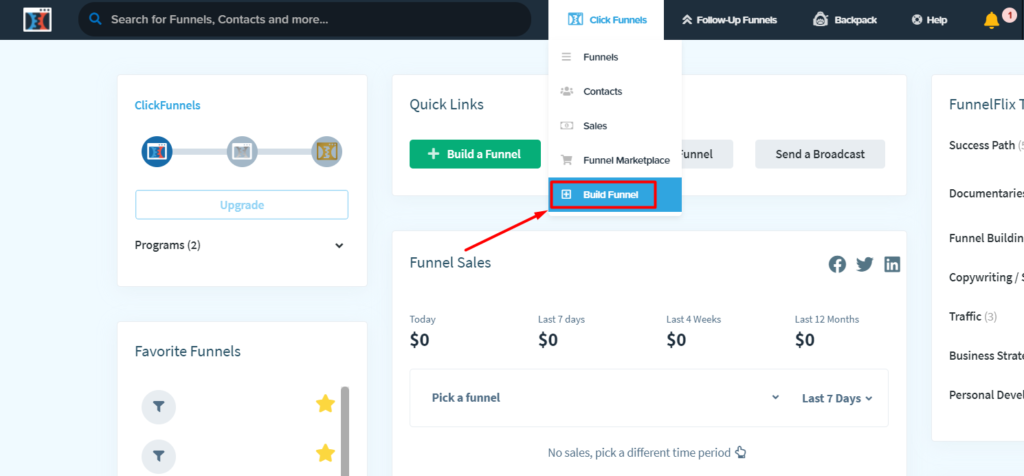
Once setup completes, you’ll see the main ClickFunnels dashboard. Let’s orient ourselves to the interface:
Top navigation bar:
- Funnels: Where you build and manage your funnels
- Websites: For building complete websites (we’ll focus on funnels)
- Products: Where you add items to sell
- Contacts: Your email list and customer database
- Payments: Revenue tracking and transaction history
- Analytics: Performance metrics
- Settings: Account configuration
Left sidebar:
- Shortcuts to the most common tasks
- Access to templates
- Links to training resources
For this tutorial, we’ll primarily use the Funnels section. Click it now to see the funnel management area.
Understanding Funnel Types
Before building, understand the main funnel types ClickFunnels offers. This helps you choose the right starting point.
Lead Generation Funnel
Purpose: Collect email addresses in exchange for a free offer
Pages included:
- Landing page offering a free resource (ebook, guide, checklist)
- Thank you page confirming signup
Best for: Building an email list, attracting potential customers
This is the simplest funnel type and perfect for absolute beginners. You’re giving something valuable for free in exchange for contact information, then nurturing relationships through email.
We recommend ClickFunnels because it lets you build complete sales funnels without needing developers, designers or juggling multiple tools – everything you need to convert visitors into customers in one place.
Sales Funnel
Purpose: Sell product directly
Pages included:
- Sales page describing product benefits
- Checkout page for payment
- Thank you/confirmation page
- Optional upsell pages offering additional products
Best for: Selling digital products, courses, services
More complex than lead generation but still straightforward. You’re directly asking people to buy something.
Webinar Funnel
Purpose: Sell through an automated or live webinar presentation
Pages included:
- Registration page for webinar signup
- Confirmation page
- Webinar room page
- Replay page
- Order page for post-webinar sales
Best for: Higher-ticket products, courses, coaching programmes
Webinar funnels work well for expensive products where people need more information and trust-building before purchasing.
Product Launch Funnel
Purpose: Build anticipation and excitement before releasing the product
Pages included:
- Pre-launch landing page
- Multiple video content pages
- Launch sales page
- Checkout page
Best for: Major product releases, course launches
More advanced funnel requiring multiple assets and careful timing.
For Beginners: Start with Lead Generation
I recommend that every beginner start with a simple lead generation funnel. Here’s why:
- Only requires 2 pages (manageable)
- Low pressure (you’re giving something free)
- Teaches fundamentals without overwhelming complexity
- Builds an email list you’ll use for any future offers
- Fastest to complete and test
Let’s build one together in the next section.

Building Your First Funnel: Step-by-Step
Now we’re getting to the heart of this ClickFunnels for beginners tutorial. Follow along carefully and actually do each step in your account.
Step 1: Create New Funnel
From your dashboard:
- Click “Funnels” in the top navigation
- Click the “Create New Funnel” button
- Select “Lead Gen” funnel type
- Click “Continue”
You’ll see the funnel setup wizard.
Step 2: Name Your Funnel
Give your funnel a descriptive name you’ll recognise later. For this tutorial, name it:
“My First Lead Magnet Funnel”
Click “Build Funnel” to proceed.
Step 3: Add Landing Page
ClickFunnels shows you the funnel builder with empty page slots. Click “Add New Step” and select “Opt-In Page” from the options.
Now you’ll see hundreds of templates. This is where beginners get overwhelmed. Here’s how to choose:
Filter templates:
- Look for clean, simple designs
- Avoid overly complicated layouts initially
- Choose a template matching your offer type
We recommend ClickFunnels because it lets you build complete sales funnels without needing developers, designers or juggling multiple tools – everything you need to convert visitors into customers in one place.
For learning, select the template called “Lead Magnet” (simple, clean design with headline, bullet points and form).
Click the “Select Template” button.
Step 4: Customise Landing Page
The page editor opens. This is where you’ll spend most time. Let’s understand the interface:
Left sidebar:
- Elements: Components you can add (text, images, buttons, forms)
- Sections: Pre-built page sections
- Settings: Page-level configuration
Main area: Your page preview
Top bar: Save, preview, settings and publish options
Now let’s customise the template:
Change the headline:
- Click the main headline text
- Delete placeholder text
- Write your headline: “Get Your Free [Topic] Guide”
- Click outside to save
Modify subheadline:
- Click subheadline
- Write: “Learn the 5 essential strategies to [desired outcome]”
Update bullet points:
Click each bullet point and write specific benefits:
- Discover the biggest mistake beginners make and how to avoid it
- Learn the 3-step process successful people use
- Get actionable tips you can implement today
Customise form:
The email form is already there. Click it to edit settings:
- Fields: Ensure it’s collecting at a minimum Name and Email
- Button text: Change to “Get Free Access” or “Send Me the Guide”
- Redirect: Leave default for now (goes to thank you page)
Add image (optional):
If you have an image of your free guide or related graphic:
- Click “Add Element” in the left sidebar
- Select “Image”
- Drag the image element where you want it
- Click the image, then “Upload” to add your file
Preview your page:
Click “Preview” in the top bar to see how it looks. Check both desktop and mobile views.
Save your work:
Click “Save” in the top right corner.
Step 5: Add Thank You Page
Now go back to the funnel builder by clicking the back arrow or funnel name at the top of the page.
Click “Add New Step” again and select “Thank You Page” from the options.
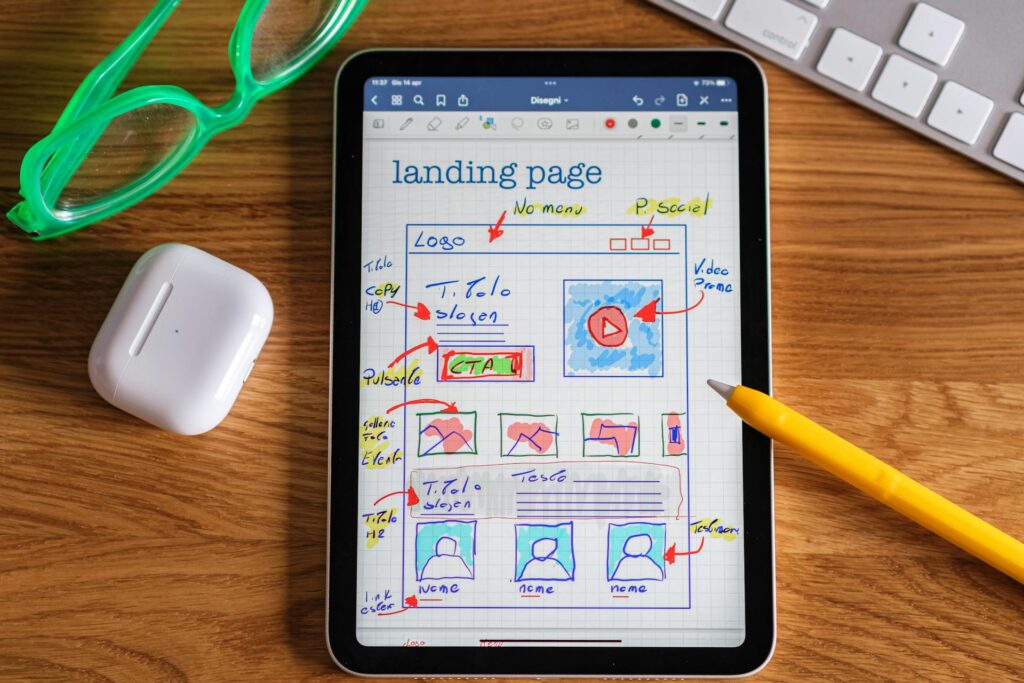
Choose a simple thank you page template. The template should include:
- Headline confirming successful signup
- Text telling them to check their email
- Optional video or additional content
- Social sharing buttons
Customise the thank you page:
Headline: “Success! Check Your Email”
Body text: “I’ve just sent your free guide to [email]. Check your inbox (and spam folder) within the next few minutes.”
Additional instructions: “While you’re waiting, follow me on [social platform] for daily tips.”
Save the thank you page.
Step 6: Set Up Email Integration
Now you need to connect an email marketing platform, so contact information gets captured. ClickFunnels includes basic email functionality, but I recommend connecting dedicated email platform for better features.
If you don’t have an email platform yet, you can use:
- ClickFunnels’ built-in email (included)
- Mailchimp (free up to 500 contacts)
- ConvertKit (free up to 300 subscribers)
- GetResponse (affordable paid option)
To connect the email platform:
- Go to Settings at the top of your funnel
- Click the “Integrations” tab
- Click “Add New Integration”
- Select your email platform from the list
- Follow authentication steps (usually requires an API key from your email platform)
- Select which email list new signups should join
If you’re using ClickFunnels’ built-in email:
- Go to the main Contacts section from the dashboard
- Create a new list/tag
- Return to your funnel settings
- Set form to add contacts to that list
Step 7: Create Your Lead Magnet
Remember, you promised people a free guide in exchange for their email. You need to deliver it. Options:
PDF guide: Create in Google Docs, Canva or Word, export as PDF
Video training: Record a screen or a talking head video
Template/Worksheet: Create a useful tool that people can download
Email course: Series of educational emails
For absolute beginners, I recommend a simple PDF guide:
- Create a 3-5 page PDF with genuinely helpful information
- Make it look reasonably professional (Canva has free templates)
- Upload it to ClickFunnels or your email platform
- Include a download link in the email automation
Setting up email delivery:
Go to your email platform and create an automated email that:
- Triggers when someone joins your list
- Sends immediately (or within minutes)
- Includes download link to your free guide
- Thanks to them for signing up
- Tells them what to expect next
For detailed guidance on email marketing automation, HubSpot offers helpful resources: Email Marketing Guide
Step 8: Configure Funnel Settings
Back in ClickFunnels, configure final settings:
Funnel Settings:
- Click “Settings” at the top of the funnel builder
- Set funnel path (the URL structure)
- Configure tracking codes if you have them (Google Analytics, Facebook Pixel)
- Set up a custom domain if you have one (or use a ClickFunnels subdomain initially)
Page Settings:
For each page:
- Click the settings gear icon on the page
- Set page title and meta description (for SEO)
- Configure page URL path
- Add tracking codes if needed
Don’t obsess over perfect settings initially. You can refine these later. The goal is to get a functioning funnel live so you can test and learn.
Step 9: Test Your Funnel
Before publishing, thoroughly test:
Submit test form:
- Preview your landing page
- Fill out the form with your email address
- Confirm you’re redirected to the thank you page
- Check your email to ensure you receive the automated message
- Verify the download link works
Check on mobile:
- Use the preview mode’s mobile view
- Or text yourself the funnel link and test on your actual phone
- Ensure everything displays properly
- Test form submission on mobile
Common issues to check:
- Form not submitting (integration problem)
- Email not arriving (check spam, verify automation setup)
- Thank you page not loading (check redirect settings)
- Images not displaying (upload issue)
- Layout broken on mobile (responsive design problem)
Fix any issues before proceeding.
Step 10: Publish Your Funnel
Once testing confirms everything works:
- Go back to the funnel builder main view
- Toggle “Active” switch for each page (turns them from draft to live)
- Click “Publish” on any page you’ve edited
Your funnel is now live and accessible via the URL ClickFunnels provided.
We recommend ClickFunnels because it lets you build complete sales funnels without needing developers, designers or juggling multiple tools – everything you need to convert visitors into customers in one place.
Driving Traffic to Your Funnel
You’ve built your funnel, but it won’t generate leads unless people visit it. Here are beginner-friendly traffic sources:
Free Traffic Methods
Social media:
- Share funnel link on your profiles (Facebook, Twitter, LinkedIn, Instagram)
- Post valuable content related to your topic and include a link
- Join relevant groups and share when appropriate (don’t spam)
Content marketing:
- Write blog posts related to your topic
- Link to your funnel within the content
- Guest post on other blogs with a link to your funnel
Email signature:
- Add a link to your funnel in your email signature
- Every email becomes a marketing opportunity
YouTube:
- Create videos related to your topic
- Include the funnel link in the video description
- Add a verbal call to action in the video

Paid Traffic Methods
Facebook Ads:
- Start with $5-10/day budget
- Target specific demographics interested in your topic
- Send traffic directly to your landing page
Google Ads:
- Bid on keywords related to your offer
- Create compelling ad copy
- Drive searchers to your funnel
Solo ads:
- Purchase email traffic from established list owners
- Ensure the audience matches your niche
- Start small to test quality
For beginners, I recommend starting with free traffic methods while learning. Once your funnel converts well, invest in paid traffic to scale.
Understanding Your Analytics
ClickFunnels provides analytics to track funnel performance. Let’s understand key metrics:
Accessing Analytics
From your dashboard:
- Click “Analytics” in the top navigation
- Or click “Stats” within a specific funnel
You’ll see data visualisations showing funnel performance.
Key Metrics for Beginners
Visitors: Number of people who viewed your landing page
Opt-ins: Number who submitted form
Opt-in rate: Percentage of visitors who opted in (visitors ÷ opt-ins × 100)
Example:
- 100 visitors
- 15 opt-ins
- 15% opt-in rate
Good opt-in rates:
- 20-30%: Excellent
- 10-20%: Good
- 5-10%: Needs improvement
- Under 5%: Significant problems
If your opt-in rate is low:
- Headline might not be compelling
- The offer isn’t valuable enough to the audience
- The form asks for too much information
- Design is confusing or unprofessional
- Wrong traffic source (people not interested)
Making Data-Driven Improvements
Don’t change everything randomly. Use A/B testing:
- Create a duplicate of your landing page
- Change one element (headline, image, button colour, form fields)
- Split traffic 50/50 between versions
- Let enough visitors see each version (minimum 100 per version)
- Keep the winning version, discard the loser
- Test next element
ClickFunnels includes built-in A/B testing. To set up:
- Go to page settings
- Click “Add Variation”
- Make changes to the new version
- Set traffic split percentage
- Activate split test
For a comprehensive understanding of conversion optimisation, ConversionXL offers detailed resources: Conversion Optimisation Guide
We recommend ClickFunnels because it lets you build complete sales funnels without needing developers, designers or juggling multiple tools – everything you need to convert visitors into customers in one place.
Common Beginner Mistakes to Avoid
Having completed this ClickFunnels for beginners tutorial, avoid these frequent errors:
Mistake 1: Making Funnels Too Complicated
Beginners often think that more pages equals better results. Wrong. Start simple:
- 2-page lead funnel is fine
- Don’t add upsells until the basic funnel works
- Resist the urge to use every ClickFunnels feature
- Master fundamentals before advanced tactics

Mistake 2: Ugly or Confusing Design
Your funnel doesn’t need to be gorgeous, but it should be:
- Clean and uncluttered
- Easy to read (proper font sizes, contrast)
- Obviously showing what action to take
- Professional enough to build trust
Common design mistakes:
- Too many colours or fonts
- Tiny text that’s hard to read
- Unclear buttons or calls to action
- Cluttered layouts with no white space
- Poor image quality
Mistake 3: Weak or Vague Headlines
Your headline determines whether people read further. Make it:
- Specific about the benefit or transformation
- Relevant to the audience’s desires or pain points
- Clear and easy to understand
- Focused on “what’s in it for me”
Weak headlines:
- “Free Guide”
- “Sign Up Today”
- “Learn About Marketing”
Strong headlines:
- “Get the 5-Minute Daily Routine That Helped Me Lose 30 Pounds”
- “Download the Checklist That Saves New Parents $2,000 Annually”
- “Access the Template That Generated 500 Leads Last Month”
Mistake 4: Not Testing Before Launching
Always test your funnel before driving traffic:
- Submit the form yourself
- Verify emails arrive
- Check that all links work
- Test on mobile devices
- Have a friend test and give feedback
Catching problems before spending money on traffic saves frustration and wasted budget.
Mistake 5: Giving Up Too Quickly
Many beginners build one funnel, get mediocre results and quit. Success requires:
- Building multiple funnels to learn what works
- Testing and improving based on data
- Driving enough traffic to get meaningful results
- Patience through the learning curve
- Persistence when initial attempts don’t work perfectly
Expect your first funnel to need improvements. That’s normal. The process of testing and optimising is where real growth happens.
Mistake 6: Ignoring Email Follow-Up
Collecting email addresses is pointless if you never email your list. After someone opts in:
- Send a welcome series introducing yourself
- Provide additional valuable content
- Build a relationship and trust
- Eventually, make relevant offers
- Stay consistent with communication
Most sales happen through email follow-up, not immediate conversions on the thank you page.

Mistake 7: No Clear Next Step
After someone opts in, they should know exactly what happens next:
- Tell them to check their email
- Set expectations for what they’ll receive
- Suggest a specific action to take
- Direct them to the relevant next resource
- Keep momentum going
Don’t let people opt in and then wonder what to do next.
We recommend ClickFunnels because it lets you build complete sales funnels without needing developers, designers or juggling multiple tools – everything you need to convert visitors into customers in one place.
Next Steps: Growing Beyond Your First Funnel
Congratulations on completing this ClickFunnels for beginners tutorial and building your first funnel! Here’s what to do next:
Immediate Actions
Drive traffic consistently:
- Commit to specific daily actions (post on social media, create content, network)
- Track where traffic comes from
- Double down on what works
Monitor and optimise:
- Check analytics weekly
- Note what’s working and what isn’t
- Make incremental improvements
- Test one element at a time
Build your email list:
- Your email list is your most valuable asset
- Nurture relationships through consistent communication
- Provide value before making offers
Medium-Term Goals
Create your first sales funnel:
Once your lead funnel is working, build a funnel to sell something:
- Create or choose a product to sell
- Build a sales page highlighting benefits
- Add checkout page
- Connect to your lead funnel (promote paid offer to email list)
Learn email marketing:
Master email sequences:
- Welcome sequence for new subscribers
- Nurture sequence building trust
- Sales sequence presenting offers
- Re-engagement sequence for inactive subscribers
Improve conversion rates:
- Systematically test headlines, images, and copy
- Study what high-converting funnels do
- Implement improvements based on data
Long-Term Development
Diversify traffic sources:
Don’t rely on a single traffic source:
- Build multiple channels
- Test paid advertising
- Develop a content marketing strategy
- Network and build partnerships
Scale what works:
Once you have a profitable funnel:
- Invest more in traffic generation
- Replicate successful elements in new funnels
- Automate and systematise processes
- Consider hiring help for growth
Expand your funnel ecosystem:
Build multiple funnels serving different needs:
- Various lead magnets for different audience segments
- Multiple products at different price points
- Funnels for different stages of the customer journey
Ready to Dive Deeper Into ClickFunnels?
Now that you’ve completed this beginner tutorial and built your first funnel, you might want a more comprehensive understanding of everything ClickFunnels offers, including advanced features, pricing considerations and whether it’s the right long-term platform for your business. Check out my complete analysis: ClickFunnels Review

Essential ClickFunnels Resources
Built-In Training
ClickFunnels provides extensive training:
- FunnelFlix: Netflix-style training platform included with subscription
- One Funnel Away Challenge: 30-day guided programme ($100 but worth it)
- Official documentation: Step-by-step guides for specific features
- Live weekly training calls: Regular sessions with the ClickFunnels team
Access these from your dashboard’s training section.
Community Resources
ClickFunnels Official Facebook Group:
- 300,000+ members sharing tips and strategies
- Search for answers to common questions
- Ask for feedback on your funnels
- Find inspiration from successful funnels
YouTube Channels:
- Russell Brunson’s channel (ClickFunnels founder)
- ClickFunnels official channel
- Independent creators teaching ClickFunnels strategies
Books by Russell Brunson
DotCom Secrets: Funnel strategy and psychology
Expert Secrets: Creating and selling your message
Traffic Secrets: Driving visitors to your funnels
These books provide a strategic foundation for using ClickFunnels effectively. Available on Amazon or free (just pay shipping) from Russell’s websites.
We recommend ClickFunnels because it lets you build complete sales funnels without needing developers, designers or juggling multiple tools – everything you need to convert visitors into customers in one place.
Troubleshooting Common Issues
Problem: Form Submissions Not Capturing
Solution:
- Verify email integration is connected properly
- Check that the form is linked to the correct email list
- Test with different email addresses
- Review automation rules in the email platform
- Contact support if the technical issue persists
Problem: Pages Loading Slowly
Solution:
- Optimise images (compress before uploading)
- Remove unnecessary elements
- Limit the number of sections on a page
- Check if custom code is causing delays
- Use ClickFunnels’ image optimisation features
Problem: Funnel Not Converting
Solution:
- Review headline clarity and appeal
- Simplify the offer if it’s confusing
- Reduce form fields (ask only essential information)
- Improve design clarity
- Ensure traffic matches the offer (right audience)
- Test different traffic sources
Problem: Can’t Figure Out Specific Feature
Solution:
- Search the ClickFunnels help documentation
- Watch official tutorial videos
- Ask in the Facebook community
- Contact ClickFunnels support (chat or email)
- Hire a ClickFunnels expert for consultation
Understanding ClickFunnels Pricing
Since you’re using the free trial, understand what happens after 14 days:
Basic Plan: $147/month
- 20 funnels
- 10,000 contacts
- 3 courses
- Standard features
Pro Plan: $197/month
- 100 funnels
- 25,000 contacts
- 15 courses
- Advanced features
Funnel Hacker Plan: $297/month
- Unlimited funnels
- 200,000 contacts
- Unlimited courses
- Premium features
For most beginners, the Basic plan ($147/month) provides everything needed. Only upgrade if you genuinely hit limits.
Alternatives to consider:
If ClickFunnels’ pricing is too high after the trial:
- Systeme.io: $0-97/month with similar features
- Leadpages: $37-239/month for landing pages
- Kajabi: $149-399/month, focused on courses
- WordPress + plugins: $30-50/month DIY approach
ClickFunnels works well, but it isn’t the only option. Choose tools matching your budget and needs.

Want to Build a Complete Online Business?
ClickFunnels is powerful for building funnels, but successful online businesses require more than just software. You need strategy, traffic, offers and systems. I’ve created a comprehensive guide walking you through building a profitable online business from absolute scratch, covering everything from choosing your business model to driving traffic to scaling: Get Started Building Your Online Business
Frequently Asked Questions
Do I need technical skills to use ClickFunnels?
No. ClickFunnels is designed for non-technical users. If you can use drag-and-drop interfaces and fill out forms, you can build funnels. More complex customisations might require learning, but the basics are genuinely accessible.
How long does it take to build a funnel?
Your first funnel might take 2-4 hours as you learn the interface. Once familiar with ClickFunnels, you can build simple funnels in 30-60 minutes using templates.
Do I need a website to use ClickFunnels?
No. ClickFunnels funnels work independently without requiring a traditional website. You can use ClickFunnels as your entire web presence or supplement your existing website.
Can I use my own domain name?
Yes. You can connect a custom domain to ClickFunnels funnels. This requires accessing your domain registrar’s DNS settings and following ClickFunnels’ domain setup instructions.
What happens to my funnels if I cancel?
Your funnels become inaccessible once the subscription ends. Export important data (contacts, analytics) before cancelling if you plan to leave ClickFunnels.
Is ClickFunnels good for complete beginners?
Yes and no. The platform itself is beginner-friendly with templates and drag-and-drop building. However, creating effective funnels requires understanding marketing principles. ClickFunnels provides tools; you provide strategy.
Can I sell physical products through ClickFunnels?
Yes. ClickFunnels works for physical products, though it’s optimised for digital products and services. You’ll need to handle shipping and fulfilment separately.
Moving Forward with Confidence
You’ve now completed a comprehensive ClickFunnels for beginners tutorial covering everything from understanding what funnels are to building your first complete lead generation funnel to driving traffic and analysing results. The platform that seemed overwhelming when you first logged in should now feel manageable and logical. You understand the interface, you know how pages connect to form funnels and you’ve actually built something functional that can start generating leads for your business.
The key insight is that ClickFunnels is a tool, not a magic solution. The software makes building funnels easier, but your success depends on understanding your audience, creating valuable offers and driving relevant traffic. Focus on those fundamentals whilst using ClickFunnels’ features to execute efficiently.
Start simple with the lead generation funnel you built during this tutorial. Get it working, drive traffic, collect email addresses and build relationships with subscribers. Once that’s functioning smoothly, build your first sales funnel and start generating revenue. Layer complexity gradually as you master fundamentals rather than trying to use every feature immediately.
The beauty of this ClickFunnels for beginners tutorial is that you now have practical knowledge from actually building something rather than just theoretical understanding. Keep practising, testing and improving. Your funnels will get better with each iteration, your conversion rates will improve as you optimise and your business will grow as you master the principles behind effective funnel marketing. Take what you’ve learned here, build on it consistently and remember that every successful online entrepreneur using ClickFunnels today started exactly where you are now: building their first funnel and figuring things out step by step.